Everything MakerQ does
From the first request to the final invoice, in one app.
Four steps, every job
Requests in one queue
A form you build in MakerQ and put on your website or Shopify store.
- STL and 3MF files attached
- Import requests from your inbox
- Spam and bots kept off your board
A price from your costs
Set your filament, power, labour and markup once. Every job is priced the same way.
- Warns you below your margin floor
- Quote emails in your own words
- Payment links in the email
Every job on a board
Drag jobs from New to Printing to Completed, with a production queue sorted by due date.
- Folders and subfolders
- Printer and stock tracking
- Project numbers, like MQ-0001
Customers kept in the loop
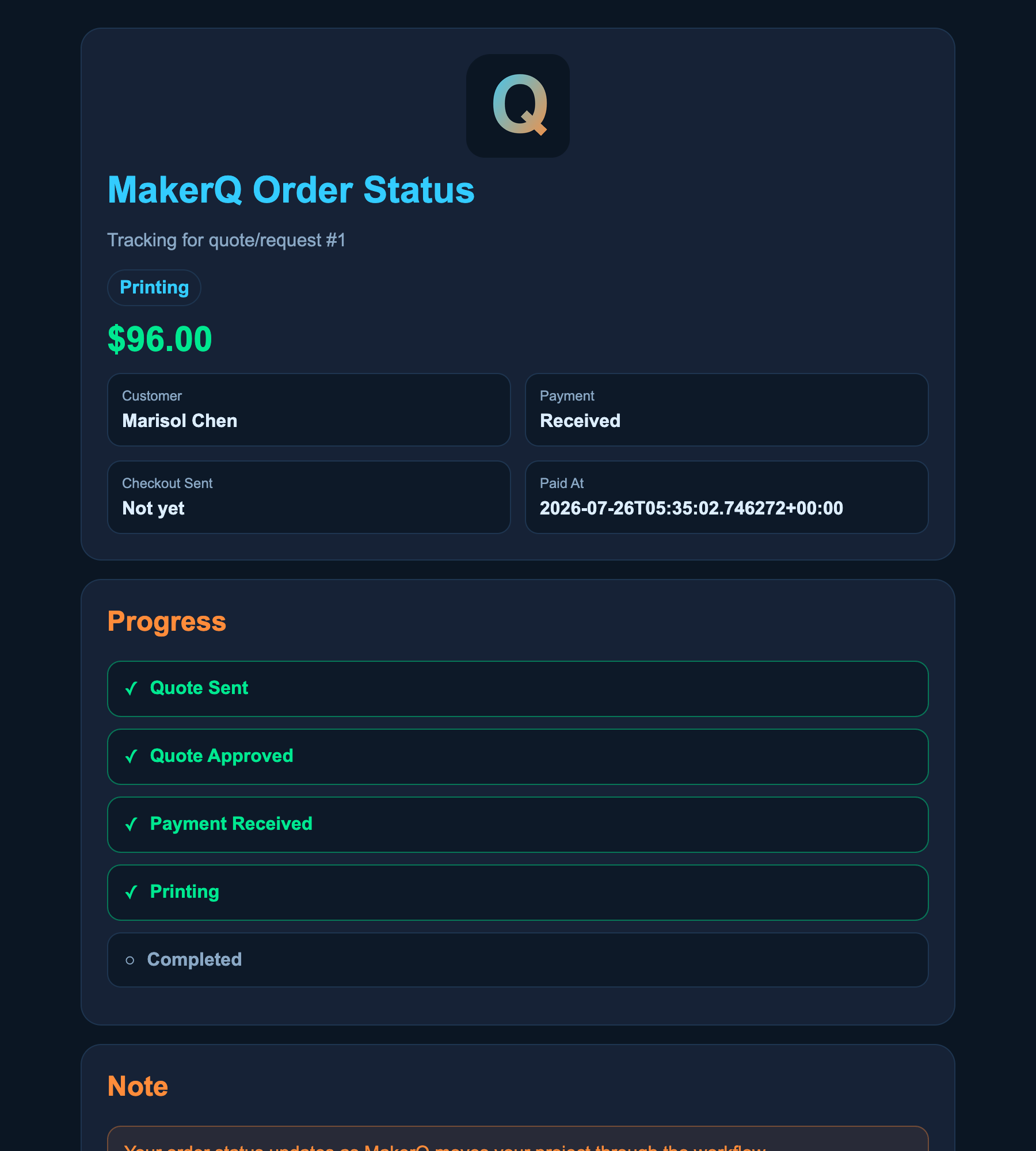
A private status page per order, then an invoice when it is done.
- Approvals and design proofs
- Invoices to print or email
- Full history per customer
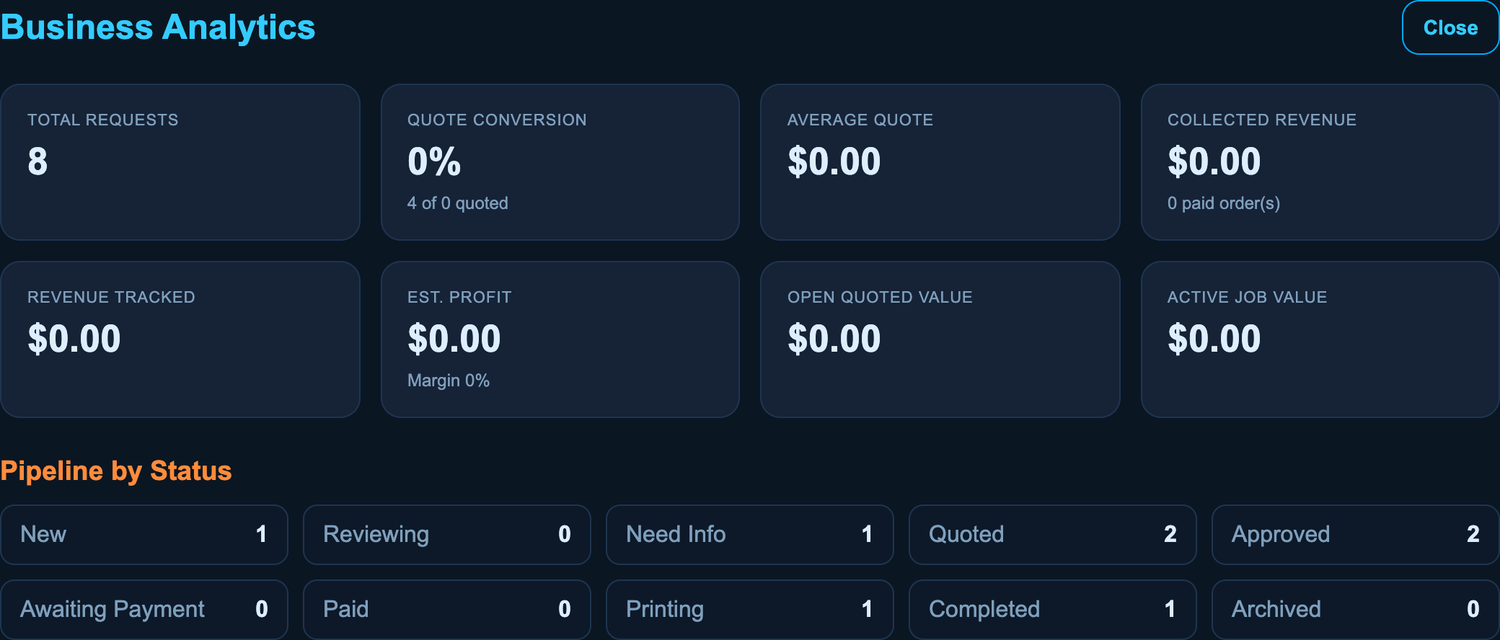
Your whole shop on one screen
Open quotes, jobs in progress, revenue and margin, without opening a spreadsheet.
Fewer “where's my order?” messages
Each customer gets a private link to their order. They see where it stands, the price and every step to done, with no account and no app.
- Design proofs they approve with one click
- Updates with photos, and a message thread with you
- Your shop's name, logo and links
Desktop or Cloud. Your choice.
Same app, same features. Start on one and move to the other whenever you like.
Desktop app
Windows and Mac. Every plan.
- Your data stays on your computer
- Works offline, updates itself
- Open it from a second PC or your phone on Pro
MakerQ Cloud
Any browser, at app.makerq.io. Included with Pro.
- The same projects on every computer
- Your files stored safely online
- Move your desktop data over in a few clicks
More than prints
Three tools for the jobs that don't fit the usual form.
Quick Quote
Someone at the counter wants a number now. Price a print with no project attached, then copy the reply and send it.
Sticker Calculator
Stickers and decals priced by the sheet: paper, laminate, ink, blade and labour, divided by how many fit on a sheet.
Outline Tracer
Photograph parts on a sheet of paper and get true-size SVG or DXF outlines for a drawer insert or tool tray.
How the Tracer worksWhat you get out of it
Quotes out the same day
Files and details arrive together and the price is worked out for you.
Prices that cover your costs
Every quote uses your real costs and warns you below your margin.
Nothing slips through
Every job sits on one board with its due date.
Paid without chasing
Payment links go out with the quote, and invoices are one click.
Try it on your own jobs
Free to start, no account and no card. See pricing